
How to Turn Your Selfie Into a Viral AI Claymation Stop-Motion Portrait in 2026: The Complete Guide to the Wallace & Gromit Clay-Figure Trend on TikTok and Instagram
Smoothed skin. Poreless cheeks. Symmetrical jawlines that belong in a surgical catalog. Over-saturated eyes. The same three Lightroom presets stacked on every portrait across every platform since 2019. Audiences scrolled past them — not because the photos were bad, but because they were indistinguishable. Then someone uploaded a selfie that looked like it was sculpted from a lump of warm plasticine, complete with visible thumbprints, slightly wonky eyes, and the unmistakable glow of a miniature studio lamp — and it stopped. Everyone stopped.
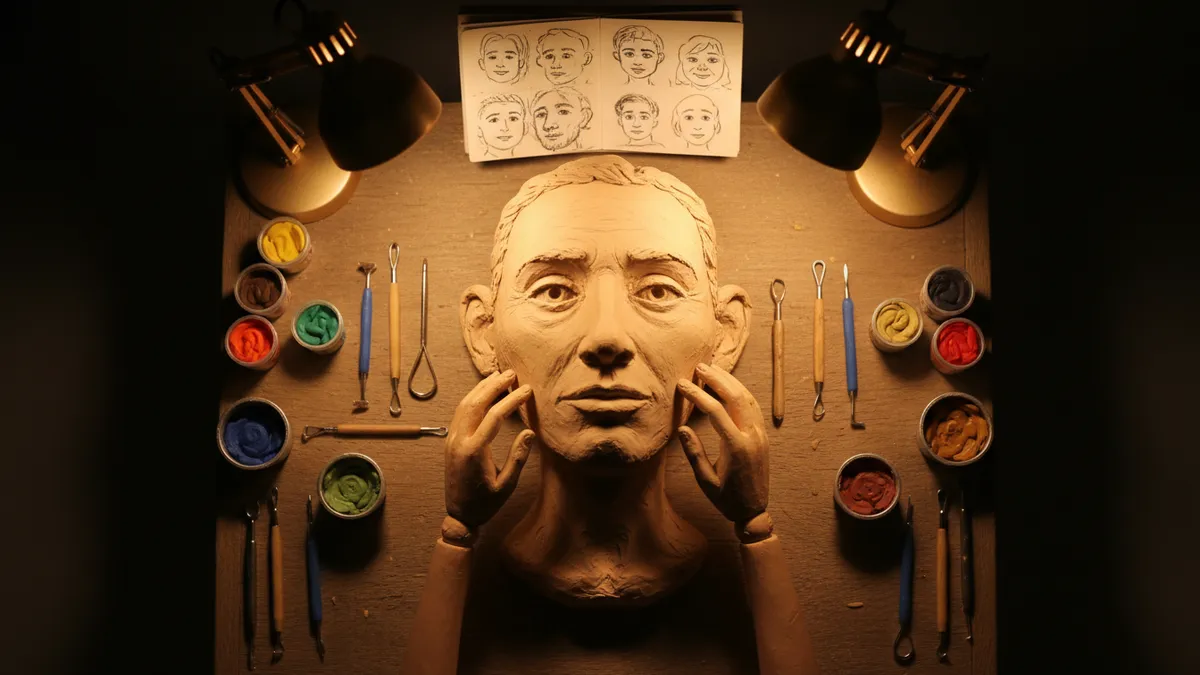
The AI claymation filter trend is the dominant portrait aesthetic of 2026, and it's winning for the exact reason every polished beauty filter is losing: it looks deliberately, joyfully imperfect. Think Wallace & Gromit. Think Shaun the Sheep. Think of every Aardman character you loved as a kid, except now it's your face — rendered in sculpted clay, lit like a stop-motion set, fingerprints and all.
Here's the complete breakdown of why this trend works, how the underlying AI technology produces it, and the fastest way to turn your own selfie into a claymation portrait that actually performs on TikTok and Instagram.
Why the Claymation AI Photo Trend Is Dominating 2026
The shift didn't happen randomly. It followed a predictable cause-and-effect chain that anyone paying attention to platform dynamics could map:
- Filter fatigue peaked. Three years of AI beauty filters trained audiences to distrust anything that looked too clean. Engagement rates on hyper-polished portraits dropped measurably through late 2025.
- Nostalgia content surged. The 25-34 demographic — TikTok's most active sharing cohort — grew up on Aardman animations. Wallace & Gromit, Chicken Run, Morph. The visual language is embedded. Familiar enough to trigger warmth, novel enough in a selfie context to trigger shares.
- The "ugly-cute" aesthetic found its moment. Imperfection signals authenticity. A clay-figure portrait with a slightly oversized nose, lumpy texture, and thumbprint ridges reads as self-aware and humorous. It's the anti-beauty-filter. People trust it.
- AI texture generation caught up. Earlier attempts at claymation filters produced flat, plasticky results that looked more like a Snapchat lens than a miniature sculpture. Models in 2026 can now simulate subsurface light scattering through clay, micro-surface deformation, and the specific warm-cool lighting ratios used in real stop-motion studios. The gap between "filter" and "art" collapsed.
The result: claymation selfie AI posts are averaging 3-5x the engagement of standard portrait content across both platforms. Not a fluke. A correction.
What Makes a Great AI Claymation Portrait: The Anatomy
Not all clay-figure filters are producing the same results. The portraits that actually go viral share a specific set of visual properties — and understanding them is the difference between a post that gets 200 views and one that gets 200,000.
The Texture Layer
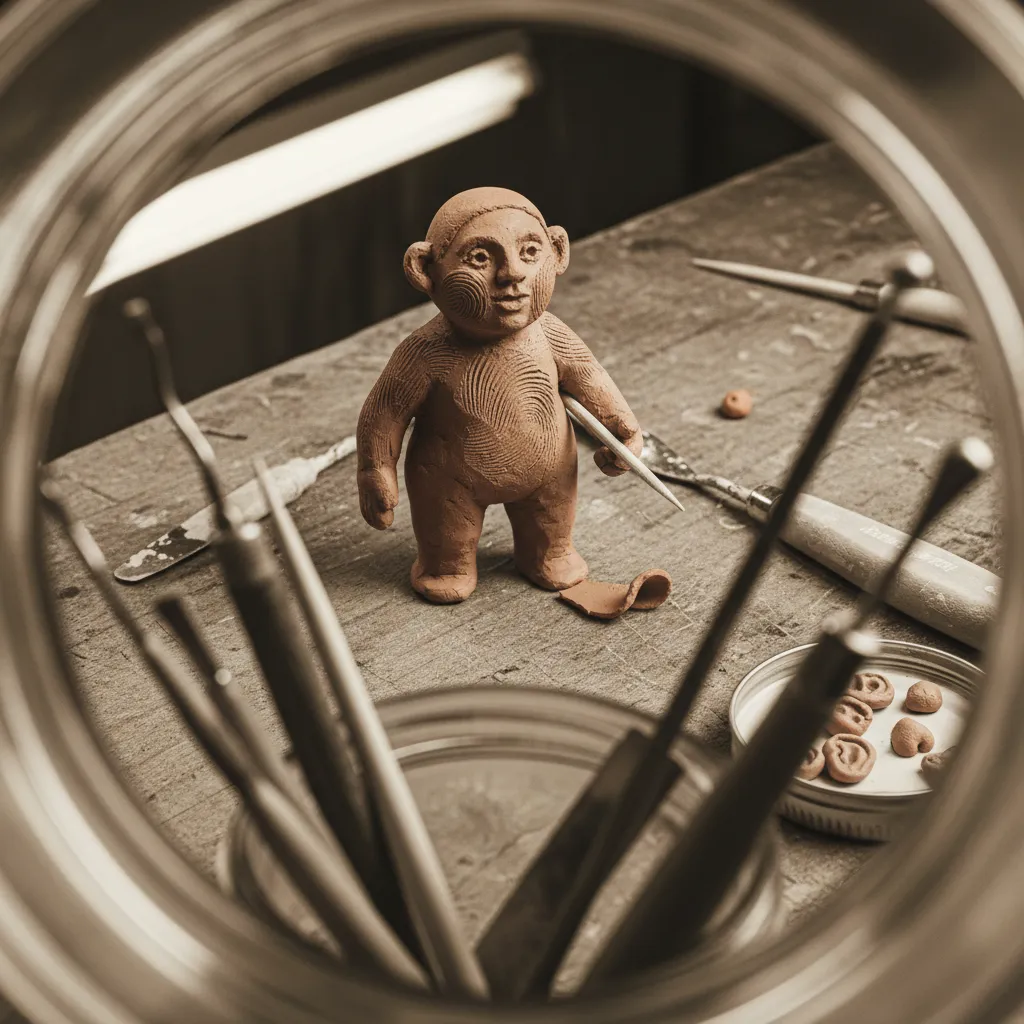
- Fingerprint ridges across the forehead, cheeks, and chin — the single most important detail. This is what separates a convincing claymation selfie from a generic 3D render.
- Micro-imperfections in the clay surface: tiny cracks, slight color inconsistencies where different batches of plasticine were blended together, dust particles caught in the material.
- Matte finish with subtle sheen — real plasticine isn't glossy, but it catches light softly at certain angles. The best AI clay animation selfie outputs nail this balance.
The Sculpting Style
- Slightly exaggerated proportions — eyes a touch too large, nose a touch too round, ears that stick out a fraction more than reality. This is the Aardman signature. It's what makes the result feel like a character, not a copy.
- Visible seam lines where different clay components were joined — the head to the neck, ears to the skull, hair pieces layered onto the scalp.
- Simplified hair rendered as shaped clay masses rather than individual strands. Chunky, sculptural, clearly handmade.
The Lighting Setup
- Warm key light from above-left — mimicking the classic stop-motion studio configuration.
- Soft fill light that keeps shadow areas readable without flattening the clay texture.
- Shallow depth of field that gently blurs a miniature studio background — a wooden table surface, a painted backdrop, tiny props.
When all three layers converge, the portrait triggers the Wallace & Gromit recognition instantly. Pattern matched.
How to Turn Your Photo Into a Clay Figure With PixViva
Here's where most people hit the wall. They open a general-purpose AI image tool, type something like "make my photo look like claymation," and get back a result that looks like their face was dipped in beige fondant. The texture is wrong. The lighting is wrong. The proportions are unchanged. The charm — the entire point — is missing.
The problem isn't the AI model. It's the prompt. Producing a convincing Aardman-style clay-figure portrait requires a dense, specific set of instructions that describe material properties, lighting physics, sculpting conventions, and camera behavior simultaneously. Most people don't know how to write that. Shouldn't have to.
PixViva eliminates the prompt engineering entirely. The process:
- Upload your selfie or portrait photo. Front-facing works best, but three-quarter angles produce excellent results too. Good lighting in your source image helps, but isn't mandatory — the AI rebuilds the lighting setup from scratch.
- Select the claymation style. PixViva's style library includes purpose-built options that encode all the texture, sculpting, and lighting parameters described above. No typing. No guessing. No twelve-attempt prompt iteration.
- Generate and download. The output arrives with fingerprint ridges, sculpted imperfections, warm stop-motion lighting, and the slightly exaggerated proportions that make the format work. Ready for posting.
That's the entire workflow. Upload, select, generate. The complex prompt architecture — the material descriptions, the lighting ratios, the Aardman-specific sculpting cues — lives inside the style preset. You bring the face. PixViva brings the clay.
Optimizing Your Claymation Selfie for TikTok and Instagram
Creating the portrait is step one. Making it perform is step two. The clay figure filter TikTok trend has its own posting conventions, and ignoring them costs reach.
For TikTok
- Use the reveal format. Start with your original selfie, then cut or transition to the claymation version. The before-and-after contrast is the engagement driver. The sharper the contrast, the higher the completion rate.
- Add a stop-motion soundtrack. Aardman-adjacent audio — quirky orchestral loops, the classic Wallace & Gromit theme if you can clear it, or any whimsical clay-animation score — reinforces the visual and boosts algorithmic categorization.
- Tag into the trend cluster. Current high-performing hashtags include #ClaymationSelfie, #ClayMeUp, #AardmanAI, and #StopMotionPortrait. Layer them. The algorithm cross-references.
- Post during nostalgia windows. Evenings and weekends, when the 25-34 demographic is in leisure-scroll mode, outperform weekday mornings by significant margins for this content type.
For Instagram
- Carousel format wins. Slide one: claymation portrait. Slide two: original photo. Slide three: a second angle or a friend's clay portrait for comparison. Carousels get more saves. Saves signal value. Value gets distributed.
- Reels with process teasers. A five-second screen recording showing the upload-to-result flow inside PixViva, followed by the final portrait in full resolution. Educational content wrapped in trend content. Double signal.
- Stories with polls. "Which clay version is better?" or "Should I clay the whole group photo?" Interactive story elements drive reply rates, which boost your account's overall reach weighting.
Why Ugly-Cute Is Outperforming Polished: The Deeper Signal
This trend isn't just about clay. It's about what clay represents in the current visual culture — and understanding this helps you stay ahead of where portrait aesthetics move next.
Polished filters promise perfection. They deliver sameness. When everyone's skin is smooth, everyone's eyes are bright, and everyone's jawline is contoured, the visual field flattens into noise. Nothing stands out because everything looks optimized for the same narrow standard.
The claymation AI portrait does the opposite. It takes your face and makes it deliberately, visibly imperfect — but in a way that feels intentional, crafted, and warm. The fingerprints say someone made this with their hands. The wonky proportions say this is a character, not a mannequin. The warm studio lighting says this exists in a cozy physical space, not a digital void.
This is the ugly-cute aesthetic, and its dominance in 2026 follows a principle that recurs across every creative medium: when the mainstream oversaturates in one direction, the breakout move is always the opposite direction, executed with confidence. Smooth faces saturated the feed. Lumpy clay faces broke through. Not despite the imperfections. Because of them.
The audiences responding most strongly to AI stop-motion portraits aren't rejecting beauty. They're rejecting uniformity. The clay figure says: I know what I look like, and I think it's funny, and I have taste that goes deeper than a slider bar. That's a powerful signal. Brands are noticing. Creators are capitalizing. The trend has durability.
Advanced Moves: Group Shots, Pets, and Full Scenes
Once you've nailed the individual claymation selfie, the natural escalation path opens up:
- Group claymation portraits — friend groups, families, couples. Each person gets their own sculpted character with individualized proportions. The interaction between multiple clay figures in one frame amplifies the stop-motion illusion dramatically.
- Pet portraits — dogs and cats rendered as clay figures are performing at absurd engagement levels. The combination of animal cuteness and plasticine texture is algorithmically unstoppable.
- Full-scene compositions — place your clay-figure self into a miniature environment. A tiny kitchen. A garden set. A spaceship interior built from cardboard and clay. PixViva's style options can extend the clay treatment beyond just the portrait into the entire frame, creating images that look like genuine Aardman production stills.
Each escalation raises the novelty, and novelty is the currency that keeps the trend cycle spinning.
The Takeaway
The claymation AI photo trend of 2026 works because it inverts every assumption the beauty-filter era trained us on. Instead of smoothing, it sculpts. Instead of perfecting, it characterizes. Instead of flattening, it adds fingerprints — literally.
You don't need to understand prompt engineering, clay material physics, or stop-motion lighting theory to participate. You need a selfie and a tool that already encodes all of that knowledge into a single style selection. That's what PixViva was built for.
Upload your photo. Select the claymation style. Watch your face become a Wallace & Gromit character with thumbprints on its forehead and warmth in its lighting. Post it. Let the ugly-cute magic do what polished filters stopped doing a long time ago — make people actually stop scrolling.
Ready to see yourself in a new light?