
How to Turn Your Selfie Into a Viral AI Disney Pixar 3D Character in 2026: The Complete Guide to the Animated Avatar Trend on TikTok and Instagram
It's mid-2026, your entire For You Page is wall-to-wall giant glossy eyeballs and impossibly smooth skin rendered in that unmistakable Pixar-movie glow, and the person who swore they'd never use an AI filter just posted their own version captioned "okay fine I caved." You caved too — or you're about to. The AI Pixar filter has become the single most replicated aesthetic on TikTok and Instagram this year, with conservative estimates placing over 40 million uploads using some variant of the Disney Pixar AI trend since January alone, and it shows zero signs of slowing because the couples Pixar portrait version just kicked off a second wave.
This guide is the only one you need. We're covering how to actually get good results — the lighting, the source photo, the prompt engineering, the tool comparison — so your 3D avatar looks like a Pixar protagonist and not a cursed Funko Pop.
Why the Disney Pixar AI Trend Exploded in 2026
The trend didn't appear from nowhere; its roots trace back to late 2024 when ChatGPT's image generation first let users turn selfies into stylized illustrations, but the outputs were flat, inconsistent, and frankly ugly about 60% of the time. What changed is rendering quality. By early 2026, models from OpenAI, Google, and a handful of dedicated apps like Cliptics and MyEdit had cracked the specific combination that makes a Pixar style AI portrait feel right: subsurface skin scattering, oversized iris-to-sclera ratios, sculpted hair with individual strand detail, and that warm Luxo Jr. key light.
People didn't just want a filter. They wanted to see themselves as the main character in a movie that doesn't exist yet.
The emotional hook is obvious — it's aspirational without being delusional. A Pixar version of your face keeps your recognizable features but dials every proportion toward "animated hero," and that tiny dopamine hit of seeing yourself rendered in a style you've loved since childhood is almost impossible to resist. Pair that with the shareability factor (couples posts, family portraits, pet versions) and you have a trend with built-in virality at every angle.
What Makes a Great AI 3D Avatar From Photo: The Non-Negotiables
Not all results are equal, and I have opinions. Here's what separates a scroll-stopping Pixar portrait from one that looks AI-generated in the worst way.
Lighting Is Everything
The number one mistake people make is uploading a dimly lit, overhead-fluorescent selfie and expecting the AI to fix it. It won't — or rather, it will try, and the result will be a flat, waxy face with no dimensionality. The best source photos have soft, directional light hitting the face from roughly 45 degrees, which gives the AI clear shadow information to translate into that signature Pixar sculpted look with rounded cheekbones and a subtle nose shadow. Natural window light, golden hour, a ring light angled slightly off-center — any of these work.
Harsh direct flash does not. Skip it.
Eyes and Expression Carry the Whole Piece
Pixar characters are 80% eyes. If your source photo has squinting, half-closed, or shadowed eyes, the AI has to fabricate iris detail and it almost always overcompensates with a dead stare. Shoot your selfie with eyes fully open, looking directly at the lens, with a genuine micro-expression — a slight smirk, raised eyebrow, soft smile. That expression translates into the exaggerated 3D version with surprising fidelity and gives your avatar actual personality rather than generic-protagonist energy.
Resolution and Framing
Crop tight — head and upper shoulders, centered or rule-of-thirds. Anything wider than a chest-up shot dilutes the face detail the model needs. Minimum 1024px on the short side; most phone front cameras clear this easily, but if you're pulling from an old Instagram post that's been compressed three times, re-shoot.
Tool-by-Tool Comparison: ChatGPT vs. Gemini vs. Dedicated Apps
I tested all of them. Repeatedly. Here's the honest breakdown so you don't waste hours.
ChatGPT (GPT-4o Image Generation)
Still the gold standard for prompt control. You can specify exact Pixar-adjacent styles — "Pixar-style 3D rendered portrait, soft ambient occlusion, stylized large eyes, warm key light from upper left, Kodachrome-inspired color grade" — and it listens with remarkable precision. The downside: consistency across multiple generations is hit-or-miss, you may burn 4-5 credits before landing one you love, and it occasionally adds unwanted background elements. Best for: single hero portraits where you want maximum creative control over the final look.
The ChatGPT Pixar prompt that's been circulating on TikTok — some variation of "turn this photo into a Disney Pixar movie character poster" — works as a starting point, but it's blunt. Add specifics about lighting direction, expression intensity, and background ("solid warm gradient" keeps it clean) and your results jump dramatically.
Google Gemini
Gemini's image generation caught up fast in 2026, and for the Disney Pixar AI trend specifically it has one advantage: skin texture. Where ChatGPT sometimes over-smooths to the point of looking like vinyl, Gemini retains a subtle peach-fuzz texture that reads as more authentically Pixar, closer to Turning Red or Elemental than the glossy Incredibles look. The trade-off is less prompt obedience — it tends to do its own thing with eye size and hair style, which can be charming or frustrating depending on how particular you are.
Best for: quick, one-prompt results that look great without heavy iteration.
Cliptics and MyEdit (Dedicated Filter Apps)
These apps are purpose-built for the trend, which means speed and ease but limited customization. Cliptics in particular nails the couples Pixar portrait format — upload two photos, pick a pose template (side-by-side, forehead-touch, piggyback), and the app composites a unified 3D scene in under 30 seconds. The results are genuinely impressive for zero-effort output, though they carry a recognizable "filter app" sameness that a trained eye spots immediately. MyEdit offers slightly more control over style intensity and background choice.
Best for: couples and group portraits, speed, sharing directly to TikTok without post-editing.
The Couples Pixar Portrait: Why It's Blowing Up Separately
This deserves its own section because it's essentially a sub-trend with its own mechanics. The couples Pixar portrait started gaining traction in March 2026 when a TikTok creator posted a side-by-side of their real engagement photo next to a Pixar-rendered version, captioned "our movie poster," and it pulled 11 million views in 48 hours.
What makes the couples variant stickier than solo portraits is narrative — two characters imply a story, a relationship, a movie you want to watch. The comments section writes the plot. People tag their partners. Duets multiply.
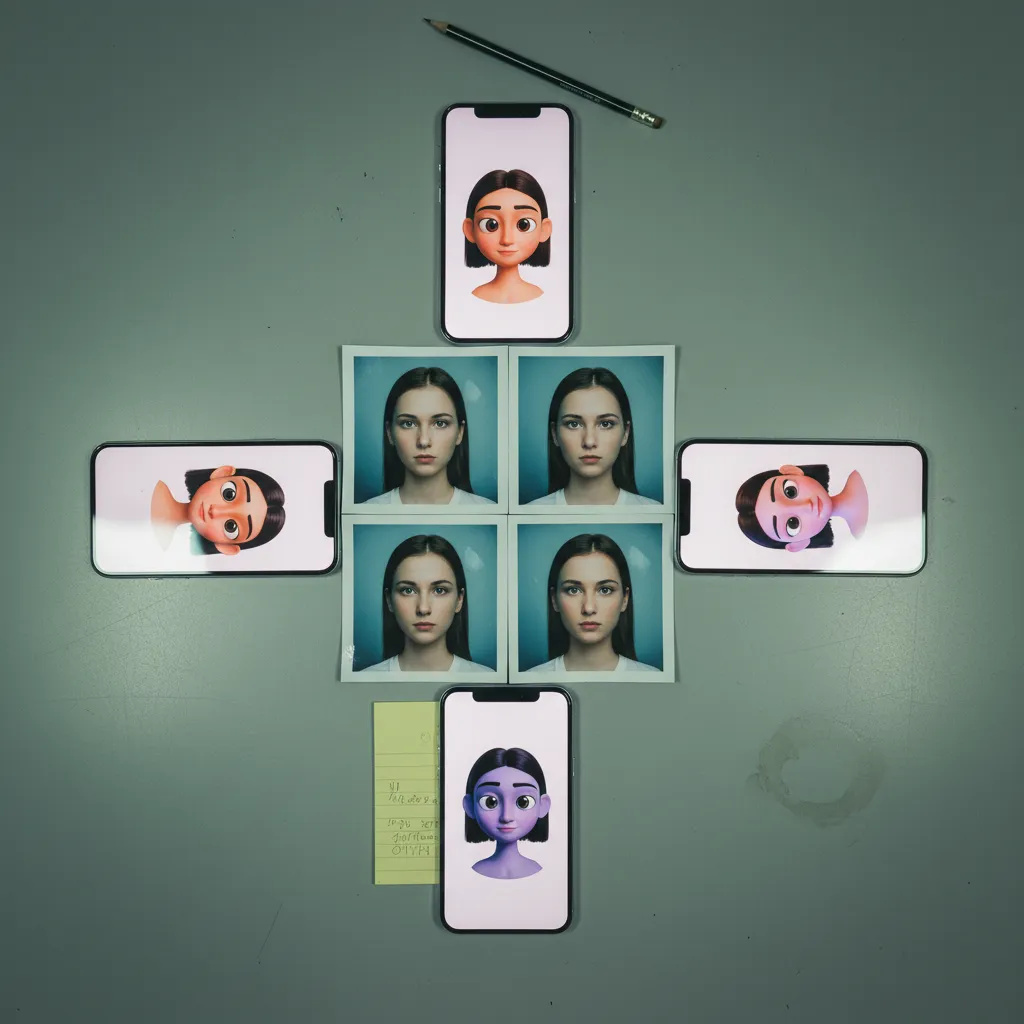
Technically, couples portraits are harder to nail because you need consistent style across two different faces generated from two different source photos, which is where dedicated apps like Cliptics have an edge over general-purpose models. If you're using ChatGPT or Gemini, the move is to composite both faces into a single source image before uploading, so the model renders them in one pass with unified lighting and proportions. Stitch your two selfies side-by-side in any basic photo editor, upload that, and prompt for a "Pixar movie poster featuring both characters." The consistency improvement is night and day.
How to Turn Your Selfie Into a Pixar Character: Step-by-Step
For those who want the streamlined version.
Step 1: Shoot the Right Source Photo
Soft directional light, eyes open, genuine expression, tight crop, high resolution. Spend 90 seconds getting this right and save yourself 20 minutes of re-generating.
Step 2: Choose Your Tool Based on Your Goal
Maximum creative control? ChatGPT. Quick and natural? Gemini. Couples or speed? Cliptics or MyEdit. No single tool wins every scenario.
Step 3: Craft a Specific Prompt (If Using AI Chat Models)
Don't just say "make this Pixar." Specify: 3D rendering style, lighting direction, eye expressiveness, background treatment, color palette. The more precise your language, the closer the output matches your vision on the first try.
Step 4: Iterate With Purpose
If the first result is close but the eyes are too small or the skin is too glossy, say exactly that in your follow-up prompt. Treat it like art direction, not a slot machine.
Step 5: Optimize for Platform
TikTok favors vertical 9:16 with the face in the upper third. Instagram profile pictures need to read clearly at 110x110px, which means high contrast and a clean background. Export accordingly.
Where PixViva Fits Into Your Avatar Workflow
Here's the thing about the AI Pixar filter trend — the output is only as good as the input. If your source selfie has flat lighting, an awkward angle, or a cluttered background, even the best AI model is working uphill. At PixViva, we specialize in AI-enhanced portraits that are already optimized for exactly this kind of downstream use — clean lighting, sharp detail, professional composition. Starting from a PixViva portrait as your source image means the Pixar rendering has pristine data to work with, and the difference in final quality is immediately visible. Think of it as giving the AI a head start.
The Honest Takeaway
The Disney Pixar AI trend isn't just a filter moment — it's a genuine shift in how people visualize themselves online, and the tools are only getting better. The gap between a mediocre result and a stunning one comes down to three things: your source photo quality, your prompt specificity, and your willingness to iterate instead of accepting the first output.
Shoot a better selfie. Be bossy with your prompts. Pick the right tool for the job.
That's it. That's the whole secret. Now go make your movie poster.
Ready to see yourself in a new light?