

How to Turn Your Selfie Into a Viral AI Fierce Tiger Walk & Hug Video in 2025: The Complete Guide to the Majestic Beast Companion Trend
Right now, two versions of the same trend are eating TikTok and Instagram alive — and if you scroll past both without making your own, you're leaving virality on the table. The AI tiger walk effect and the AI tiger hug video have become the defining visual flex of 2025, and here's the part most people miss: they're two completely different emotional plays built on the same underlying mechanic. One says power. The other says heart. Both are generated from a single selfie. Both are racking up millions of views. And the creators who understand the system behind each format — not just the filter — are the ones dominating feeds.
This is the playbook for both.
Why the Tiger Companion Trend Became Unavoidable
There's a pattern to every viral visual trend. First, a handful of early creators post something visually impossible — something that makes you pause mid-scroll and whisper how. Then the format splits. Power users adapt it for personal branding. Emotional storytellers reshape it for connection. The tiger trend followed this blueprint perfectly.
The fierce tiger AI video — you, striding confidently with a massive Bengal tiger matching your pace — became the ultimate "boss walk" content. Meanwhile, the tiger hug me filter flipped the energy entirely: a majestic beast wrapping itself around you in a tender, cinematic embrace. Same animal. Completely different story.
What makes this trend sticky isn't novelty. It's identity. People aren't sharing tiger videos because tigers are cool (though they are). They're sharing them because the AI tiger effect from photo transforms how they see themselves — fierce, untouchable, yet emotionally deep enough to embrace something wild.
That's the system. Now let's build yours.
The Fierce Tiger Walk: Your AI Power-Stride Video
This is the version that stops thumbs. You, walking toward camera, maybe in slow motion, while a photorealistic tiger keeps pace beside you like a loyal predator-companion. The energy is unmistakable: dominance, confidence, main-character-in-a-movie-you'd-actually-watch.
Choosing the Right Selfie for the Walk
The AI walking with tiger effect starts with your source image, and most people get this wrong immediately. They pick their prettiest photo. Wrong move.
You want a photo with attitude. Slight angle. Strong jawline energy. Eyes that look like they know something. The AI will animate your movement and generate the tiger alongside you, but it pulls emotional tone from the source image. A soft, smiling vacation selfie produces a soft, smiling tiger walk — and that defeats the entire point.
Shoot a new selfie if you need to. Straight-on or slight three-quarter angle. Neutral or intense expression. Clean background helps, but isn't mandatory — most AI tools will separate you from your environment anyway.
Generating the Video
Here's where most guides waste your time listing fifteen apps. You don't need fifteen.
The highest-quality results in 2025 come from AI platforms that specialize in photo-to-video transformation with scene generation — tools that don't just animate your face but build an entire cinematic environment around you. PixViva, for example, generates AI-enhanced portraits and visuals from selfies that serve as perfect source material for these video effects. Starting with a high-quality, professionally styled AI portrait dramatically changes the output of whatever video tool you feed it into.
The workflow is simple: upload your photo, select or prompt the tiger-walk scenario, choose your aesthetic (urban night, golden savanna, moody fog — the setting matters more than you think), and generate.
Making It Actually Viral (Not Just Cool)
A good tiger walk video gets saves. A viral one gets stitches, duets, and shares. The difference is context.
Add text overlay that frames the narrative. "When they said I couldn't" plus a tiger walk hits differently than a tiger walk alone. "POV: you finally chose yourself" with a slow-mo tiger stride? That's emotional architecture. The tiger filter TikTok audience doesn't just want spectacle — they want a story they can project themselves into.
Post it as a Reel or TikTok at 9:16 ratio. First frame should be the most visually arresting moment, not a build-up. Front-load the impact. Sound choice matters enormously: deep bass tracks, epic orchestral drops, or trending audio with a confident energy.
The Tiger Hug: Emotional Storytelling That Drives Shares
Now flip everything.
The AI tiger hug video is the tender counterpart — and in many ways, it outperforms the walk in raw share count. Why? Because people share emotion more readily than aspiration. A fierce walk makes viewers think "I want to be that." A tiger hug makes them feel something immediately. Feeling travels faster.
The Setup Is Different
For the hug version, your source photo should radiate warmth. Soft smile. Relaxed posture. Maybe eyes closed, as if leaning into something. The AI generates the tiger wrapping around you — head resting on your shoulder, massive paws draped gently — and the emotional resonance of the source image directly feeds the output.
This is where portrait quality becomes non-negotiable. A grainy, poorly lit selfie creates a grainy, poorly lit miracle-moment, and the incongruence breaks the spell. This is exactly the scenario where running your selfie through PixViva first pays off — clean lighting, enhanced features, cinematic skin tone — so the final tiger hug video looks like a frame from a fantasy film, not a filtered phone snap.
The Emotional Hooks That Work
The tiger hug me filter content that explodes always ties to narrative. The top-performing formats right now:
- Grief and remembrance. "This is what hugging you felt like" with a tiger representing a lost loved one. Devastating. Millions of views.
- Self-love arcs. "Learning to embrace the fierce parts of myself." The tiger as metaphor for your own wildness, your own power, held tenderly.
- Dedication posts. Creating a tiger hug video for your partner, your parent, your best friend — with text that makes it personal.
The mechanic is simple. The storytelling is everything.
The Wholesome Twist: Pets, Kids, and Family Versions
Here's where the trend gets its second wind — and where the truly shareable content lives.
Creators have started generating the AI tiger effect from photo using images of their kids walking alongside tigers (cute overload), their dogs "meeting" a tiger companion (comedy gold), or entire family power-walks with a tiger trailing behind like a massive house cat. The juxtaposition of something wild and dangerous with something innocent and domestic is irresistible to algorithms and humans alike.
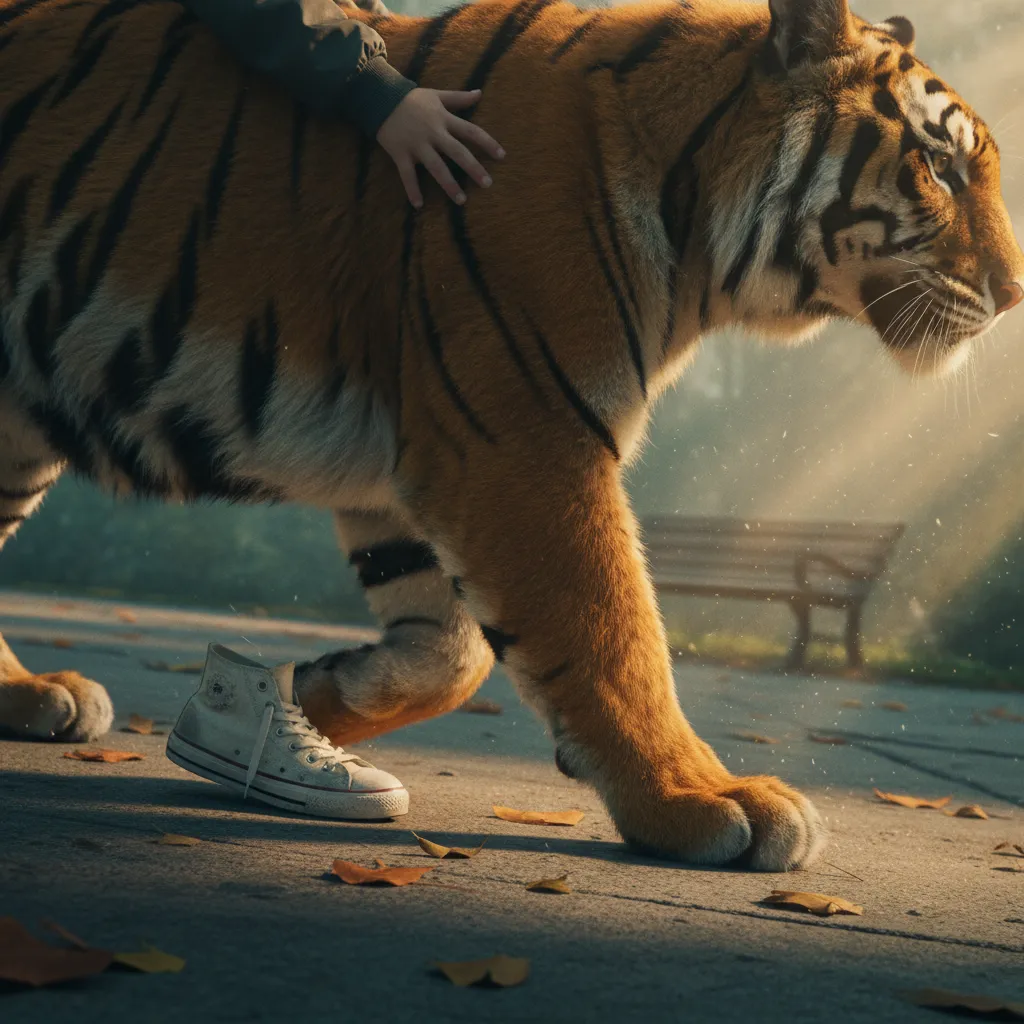
The kids-and-tiger format especially dominates shares because it triggers protective tenderness and wonder simultaneously. Two emotions in one frame. That's the formula.
For pet versions, use a clear photo of your dog or cat — the AI will often place the tiger alongside them, creating a "big sibling, little sibling" dynamic that practically begs to be reposted.
Technical Tips That Separate Good From Great
Resolution Is Non-Negotiable
Start with the highest resolution source image you can. AI video generators interpolate detail — if the detail isn't there, the output looks soft and synthetic. A 1024px portrait minimum. PixViva outputs hit this threshold effortlessly, which is partly why AI-enhanced portraits have become the go-to starting point for creators in this space.
Lighting Direction Consistency
If your face is lit from the left, the AI-generated tiger should be lit from the left. Most advanced tools handle this automatically, but cheaper apps don't. Check it. Inconsistent lighting is the number-one tell that screams "fake" and kills engagement.
Duration Sweet Spot
Three to six seconds. That's it. The fierce tiger AI video isn't a short film — it's a moment. Loop it cleanly so viewers watch it multiple times without realizing, which inflates watch-time metrics and triggers algorithmic promotion.
Export and Post
Export at 1080x1920 minimum. No watermarks — pay for the tool or use one that doesn't stamp your output. Watermarked content gets suppressed on both TikTok and Instagram. This is not where you cut corners.
Riding the Trend Before It Peaks
Every visual trend has a lifecycle. The tiger companion format is currently in its expansion phase — mainstream enough to be recognizable, fresh enough to still feel exciting. The window where you can post one of these and have it feel current rather than late is open right now, but it won't stay open forever.
The creators who win aren't the ones who wait for a trend to mature. They're the ones who spot the system — power version for branding, emotional version for shares, wholesome version for maximum reach — and execute all three angles while the wave is still building.
Your selfie is the starting point. Everything else — the tiger, the mood, the cinematic magic — is built on top of it. Make sure that foundation is sharp, well-lit, and emotionally intentional. Run it through an AI portrait tool like PixViva if you want to skip straight to professional-grade source material. Then pick your format, craft your story, and post.
The tiger is waiting. Walk with it or embrace it — just don't let it pass you by.
Ready to see yourself in a new light?